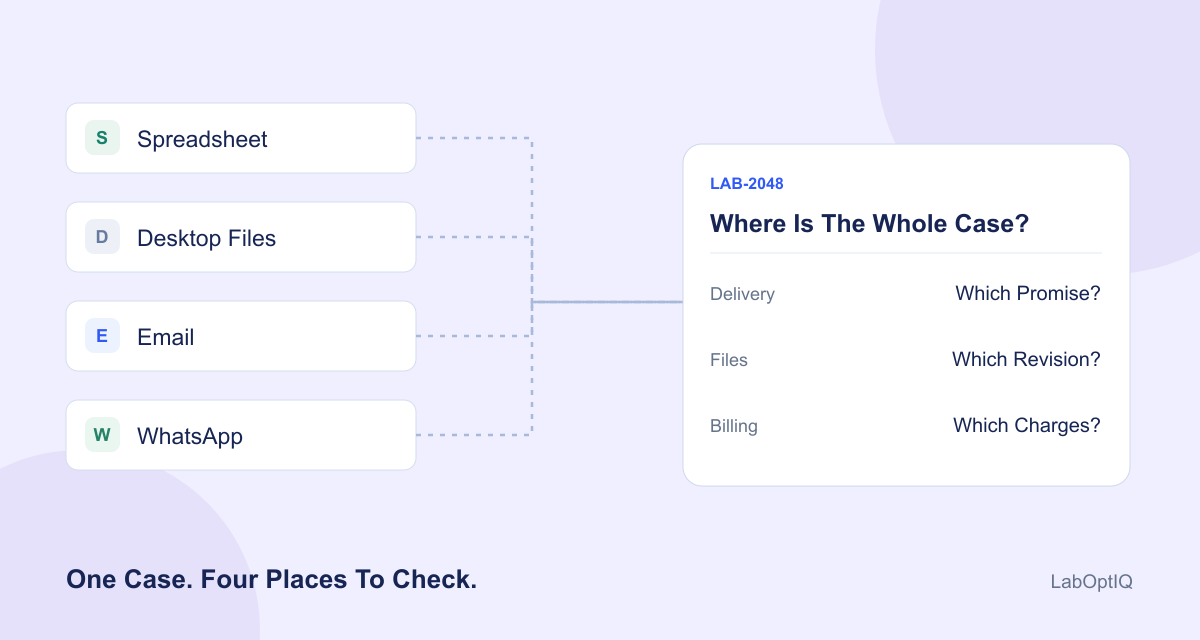
One case, four places to find the answer
Imagine a crown case for Priya Sharma at Maple Dental. The case tracker says delivery is Friday, 30 October. A revised prescription and scan package arrive by email. The technician’s desktop still holds the original download. In WhatsApp, the clinic and case coordinator agree to Thursday, 29 October and approve an additional shade service.
Everyone has part of the information. The production team may still plan around Friday, the technician must check which files are current, and billing may see only the original charge. The owner sees a case marked In Production, without knowing that the information needed to deliver it has changed.
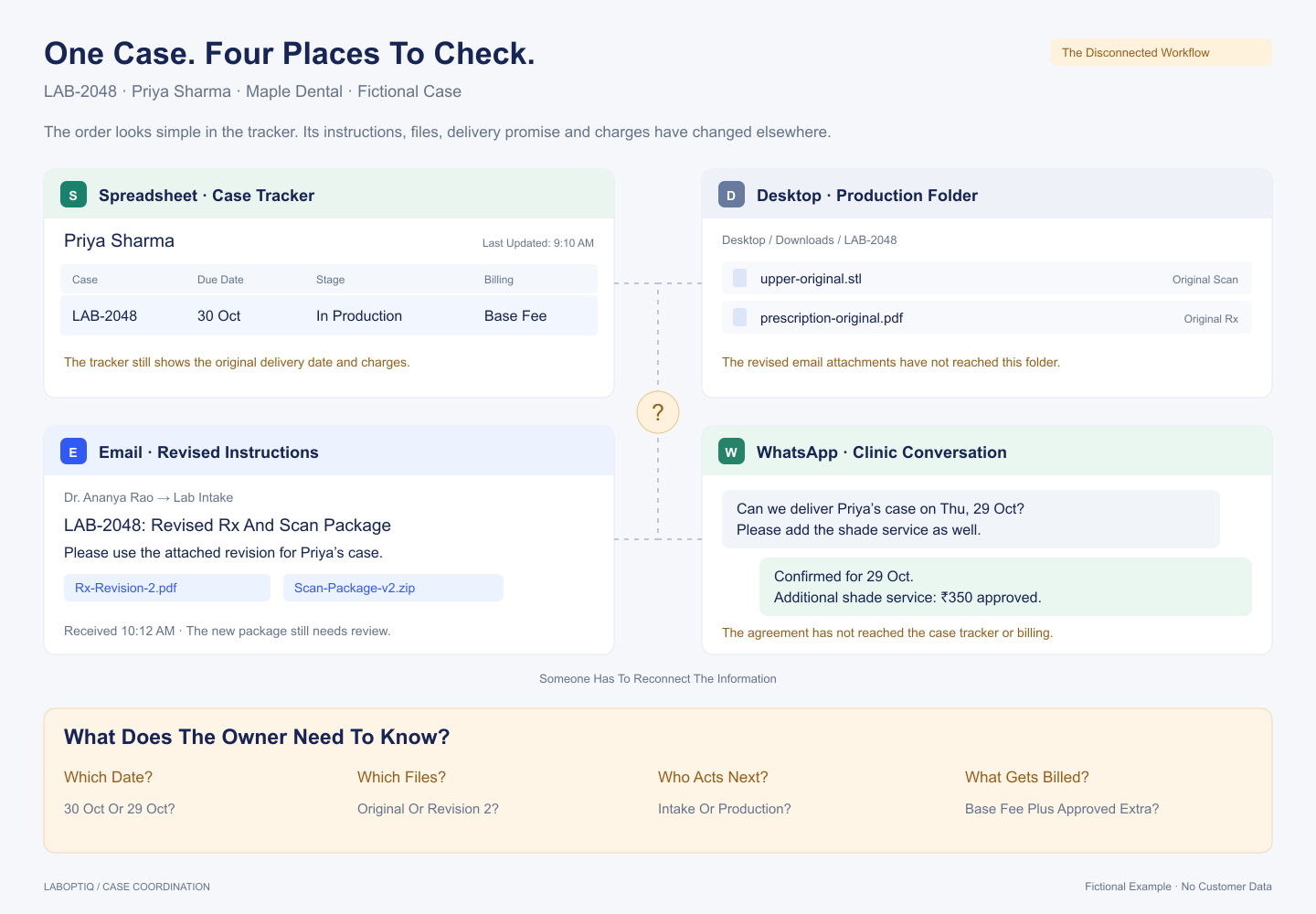
This is a fictional example, but it gives an owner a practical question to ask: could someone take over this case and identify the current instructions, agreed date, next action and charges without contacting its usual coordinator?
Spreadsheets remain useful for analysis and planning. The strain begins when the live case record depends on people repeatedly reconciling a workbook with files, emails and conversations elsewhere. These ten signs help you recognize that strain in your own lab.
1. Delivery promises change without reaching production
A clinic asks for an earlier delivery date in WhatsApp. The coordinator agrees, but the spreadsheet and production queue still show the original date. The lab now has two versions of the same commitment.
For the owner, that creates a risk of rushed work, overtime or a disappointed clinic. The issue starts when a promise is recorded in one place and the people planning the work use another.
Owner check: choose a recently changed delivery date and ask where the agreement, production plan and current commitment are recorded. They should tell the same story.
2. Skilled employees spend time searching for case information
A technician opens the workbook, checks a desktop folder, asks intake to find an email and then waits for a screenshot of the doctor’s message. Several employees handle the case before the next production step can begin.
Those minutes use capacity that the owner is already paying for. Repeated searches can also interrupt colleagues who were working on other cases. Hiring another technician may add less capacity than expected if the same information search remains part of every handoff.
Owner check: observe a few cases and record how long it takes to find the current Rx, files, due date and approval. Include time spent asking other people.
3. The latest prescription and the working files live separately
Email contains Rx Revision 2, but the production folder contains the original scan package. A filename such as final-new.stl does not establish which version was approved for use. The case row may contain no reference to either revision.
The owner needs confidence that the team can identify the authorized inputs for the work. If outdated instructions are used, investigation, correction or rework can consume time and material. A management system still needs a clear review process; storing more files alone does not resolve the decision.
Owner check: ask a technician to identify the current prescription and approved file package for an active case, including how they know those versions are current.
4. Doctor decisions remain inside individual conversations
A doctor approves a design in a chat, clarifies a requirement by phone or sends a photo to a staff member. The person receiving it understands the decision, but the next technician cannot find it in the case record.
For an owner, this makes collaboration difficult to hand over. It may lead to another call to the doctor, a delayed decision or work continuing without the full context. Conversations can use the clinic’s preferred channel while the decisions that affect production are recorded against the case.
Owner check: pick one recent approval or changed instruction. Can another employee find what was decided, who confirmed it and what action followed?
5. A status is visible, but the next action has no owner
In Production can describe a case being designed, waiting for a component, awaiting clinic approval or ready for a quality check. A colored cell may show urgency without explaining what anyone should do about it.
The owner ends up coordinating routine work personally because the record cannot identify the next responsible person. As volume grows, more cases can mean more interruptions for the owner, even when production capacity is available.
Owner check: open several active cases and identify the next action, its owner and its due time. Record how often a call is needed to establish those basics.
6. Cases on hold disappear from the working picture
A case waits for a missing prescription detail or a doctor’s response. Someone adds a note to a spreadsheet or leaves a reminder in a chat. The case stays on hold because there is no clear follow-up date or responsible person.
The distinction matters to the owner: work waiting for information should be visible separately from work being made. Otherwise the lab can appear fully occupied while cases remain blocked and agreed delivery dates approach.
Owner check: review held cases together. Each should have a reason, an assigned follow-up and a clear condition for resuming work.
7. Extra work is approved but does not reach the invoice
The clinic approves an additional service in WhatsApp or email. The team completes it, but the billing sheet contains the original items. The invoice can look complete while an approved charge is absent.
For the owner, this is a potential gap between work delivered and revenue billed. The correct charge depends on the clinic’s agreement and price book; a service may be included in the base fee or billed separately. Billing needs enough case context to make that distinction reliably.
Owner check: compare a sample of completed cases with their approvals and invoices. Look for omitted extras, unrecorded discounts and completed work awaiting billing.
8. A remake cannot be traced back to the original instructions
A remake arrives, and someone edits the existing row to describe the new work. The earlier prescription, delivery record and related conversation are now difficult to reconstruct.
The owner can count remake requests but may struggle to understand their causes or costs. Keeping the original record and linking the subsequent work supports a fairer review of instructions, file versions, production steps and clinic feedback.
Owner check: choose a remake and reconstruct both the original case and the follow-up work. Separate what is documented from what people remember.
9. Management reports need reconciliation before you can trust them
The weekly review starts with matching case references across workbooks, checking dispatch emails and asking whether Ready means ready for QC or ready to ship. The report describes several interpretations of the operation.
An owner needs consistent definitions to judge delivery performance, work in progress and billing backlogs. Moving inconsistent records into software will not automatically fix those definitions. The process needs agreed meanings and timely updates as well as a suitable tool.
Owner check: select one number, such as cases awaiting shipment, and trace it back to the underlying cases. Can the team explain exactly what is included?
10. One employee is the connection between every system
One coordinator knows which workbook is current, where the scan files were saved and which chat contains the doctor’s last instruction. Their knowledge connects the operation, but much of it is unavailable to anyone else.
For the owner, absence and staff turnover become continuity risks. Opening another shift, adding a location or taking on more clinics can also increase dependence on that person. A process that can be handed over gives the business a stronger foundation for growth.
Owner check: have another employee take over a few cases using the recorded information. Note every missing detail and personal explanation required to continue.
What changes when the case information is connected?
Return to Priya’s case. A connected record brings the agreed delivery date, current prescription, file versions, clinic decisions and billing follow-up together under LAB-2048. It also names the person responsible for reviewing the revised package before production continues.
The owner can then see both the commitment and the work still required. The technician can find the correct inputs, the coordinator can follow up on an open action, and billing can review the approved extra against the clinic’s terms.
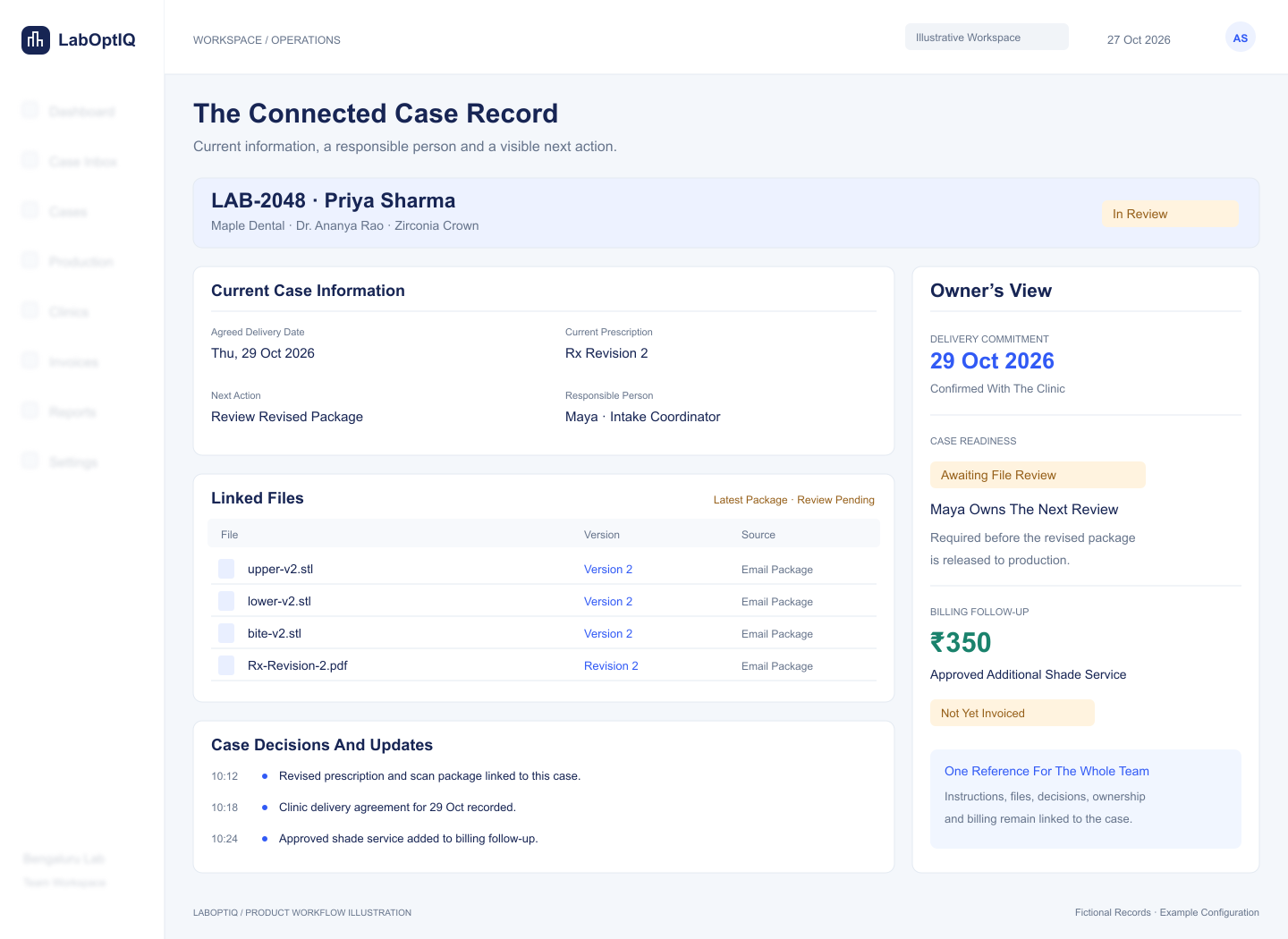
The illustration shows the intended working record, with fictional data. Email and WhatsApp decisions are captured on the case; the example does not assume automatic synchronization with either channel. Any proposed integration should be demonstrated with the lab’s actual tools and accounts.
A connected process also needs clear responsibilities. Decide who reviews new instructions, who updates the agreed date and who confirms a charge. Software helps make those decisions available to the next person who needs them.
Measure the cost before deciding what to change
Review a representative working week and record the effort caused by disconnected information. Start with a few measures that the owner and team can inspect together:
- Search and reconciliation time: minutes spent finding files, instructions and current dates.
- Follow-up effort: calls or messages needed to establish the status and next action.
- Blocked work: cases awaiting clarification, with an owner and age for each hold.
- Delivery exceptions: changed promises or missed updates that affected the production plan.
- Billing gaps: completed cases awaiting invoices and approved items missing from a draft.
A hypothetical capacity calculation makes the time visible. If 40 cases a day each require three minutes of extra searching and reconciliation, that is two hours per day, or 48 staff hours over 24 working days. Replace those assumptions with your own observations. Recovered time is available capacity; it becomes a cash saving only if an actual expense changes.
Keep financial items separate from time. Unbilled approved work, overtime and remake costs need their own evidence. This gives the owner a more useful basis for evaluating a change than a general promise of greater efficiency.
Start with a case your team already knows
Choose a recent case that involved a revised prescription, a changed delivery date or additional work. Gather the spreadsheet row, files, emails and chat decisions. Follow what happened and identify the points where someone had to reconnect the information manually.
Then test how a connected case record would support those same handoffs. Keep spreadsheets for the analysis they do well, and focus the operational change on the work that currently requires repeated searching, copying and personal follow-up.
In a LabOptIQ demo, bring that case and your existing systems. Review how instructions, files, conversations, ownership and billing could stay connected, and confirm the features and integrations available for your lab. The useful outcome is a clearer way for your people to carry a case forward and for you to see what needs attention.
Bring One Case. Review Every Handoff.
Bring a case currently spread across a spreadsheet, files, email and chat. Explore how its instructions, decisions, next action and billing could stay connected, and confirm the available LabOptIQ capabilities.
Book A Workflow DemoSources & Further Reading
Microsoft documents co-authoring and version history in supported Excel setups. This guide focuses on the wider case information that teams must coordinate across tools.