Compare a controlled workbook, not a worst-case example
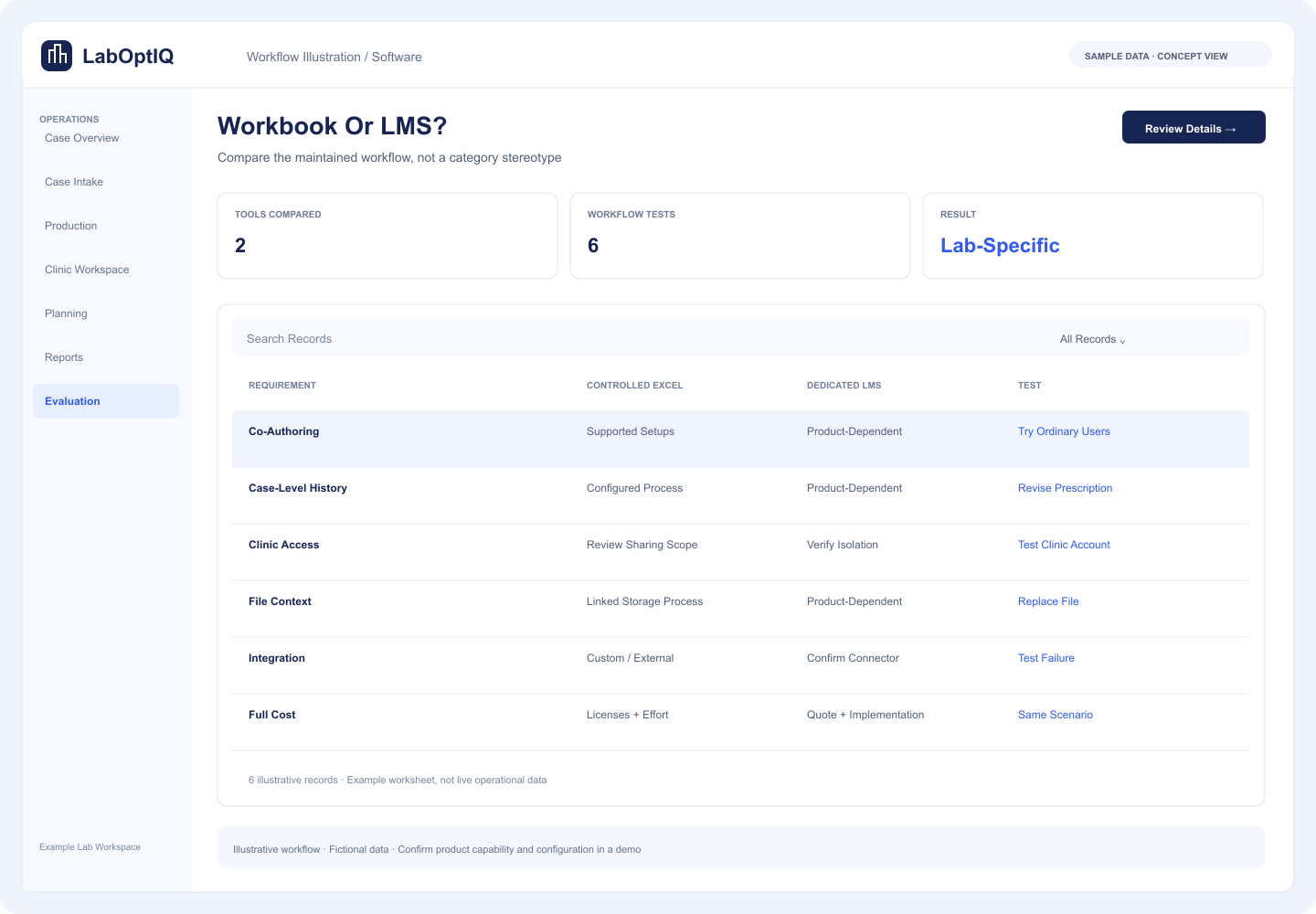
A well-configured Excel workflow can support structured tables, validation, formulas, co-authoring, and version history in supported environments. It is misleading to compare every spreadsheet with an emailed file that has no ownership or backup process. First identify what your current setup actually does.
Then identify what must be maintained outside it: attachments, clinic conversations, assignments, reminders, file versions, and shipment references. The operational cost may come from connecting those pieces, not from the ability to store a row of case information.
Evaluate the case record and history
In a workbook, your team defines the fields, validation, and way changes are recorded. In an LMS, those structures may be built into the case workflow. Neither is useful if people enter ambiguous statuses or update them long after work moves on.
Ask how an ordinary colleague finds the current instruction and the next action. Check whether a revised prescription, remake, and changed due date preserve earlier context. A generic file version history and a case-level event history answer different questions.
Compare collaboration and access
Excel co-authoring and file permissions can support collaborative work, but they must be configured appropriately. A dedicated portal may provide case-specific interactions and clinic separation, depending on the product. Test the actual permissions rather than assuming either approach prevents unintended access automatically.
Review internal notes and commercial information. A clinic should not receive a broad operational workbook simply because it needs an update on its own case. If staff prepare manual extracts, include that work in the comparison.
Account for the full effort
A spreadsheet may have little incremental license cost if the lab already subscribes to the relevant software, but maintaining formulas, reconciling records, and supporting users still consumes effort. A dedicated system adds subscription or license costs and an implementation project.
Compare the same case volume and time horizon. Include configuration, migration, training, integrations, and the manual tasks that remain. Do not assume that all time removed from administration turns into cash savings or additional completed cases.
Use each tool where it fits
A spreadsheet can remain useful for temporary analysis, modeling, and controlled exports after an LMS is introduced. The question is whether it should remain the authoritative record for live case handoffs. Avoid creating a second manual operational register merely because it is familiar.
A dedicated product also has limitations. It may enforce a workflow your lab does not use, lack a required connector, or make exports difficult. Establish those constraints through real cases and written scope rather than discovering them after migrating every record.
Make the decision with a small pilot
Choose a repeatable case group and compare update effort, missed information, handover clarity, and reporting preparation. Include an absence and a changed prescription. Ask the team whether another person can continue the work using the record alone.
If a better-configured workbook meets the requirement, that is useful evidence. If the repeated cross-system handoffs remain difficult, a dedicated LMS may be justified. LabOptIQ should be evaluated against those specific gaps, with current capabilities and pricing confirmed rather than assumed from the category name.
View A Workflow Example
Explore this workflow with your team.
Bring your cases, scanner sources, and existing tools to a LabOptIQ demo. Confirm the handoffs, available features, and integration scope that matter to your lab.
Book A Workflow DemoSources & Further Reading
Vendor documentation explains its own platform, not a confirmed LabOptIQ integration or partnership.