Describe your operating context first
Record case volumes, routes, scanner sources, locations, people, and existing software. Identify the handoffs that are difficult to maintain today. Separate an essential requirement from a convenience and from a capability that might matter later.
Include the people who will use the system at intake, production, dispatch, and clinic support. A selection made entirely from an owner's dashboard can miss the daily effort required to keep that dashboard accurate. Look for a process the team can sustain during a normal busy shift.
Build a shortlist around evidence
Use published documentation and direct vendor discussions to establish whether each product belongs on the shortlist. Check current availability for your region, account type, and deployment needs. Do not treat a recognizable integration logo as proof that your specific handoff is supported.
Ask each vendor to distinguish live capabilities from configuration work, custom development, and roadmap plans. Record the distinction in the comparison. A promised future feature should not receive the same score as a workflow demonstrated with your representative case.
Score the workflows that matter
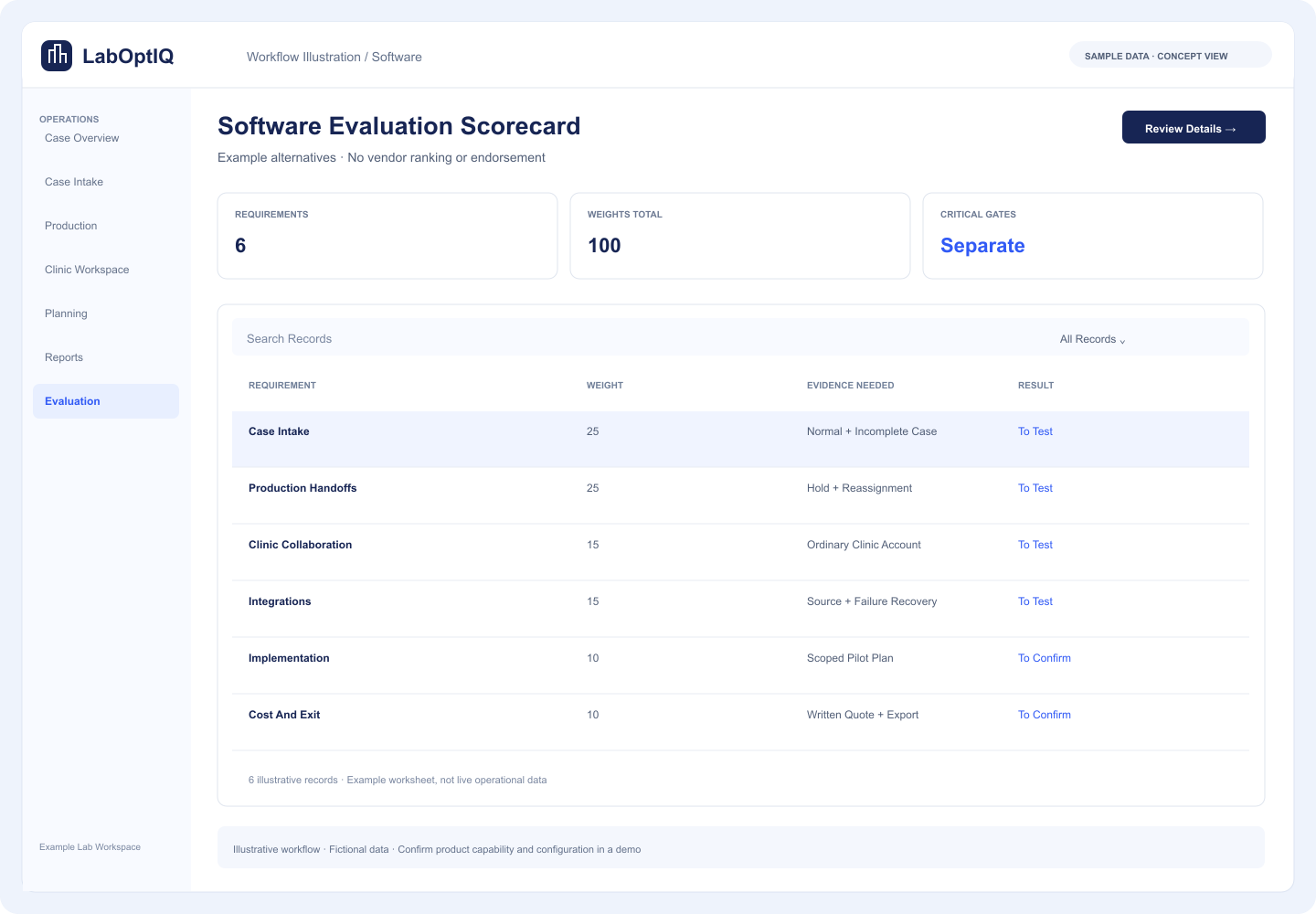
Create a weighted scorecard before the demos. Possible areas include intake, production, clinic collaboration, reporting, integrations, access, implementation, and total cost. Choose weights that sum to 100 and reflect your lab's priorities, rather than using the example weights from a sales presentation unchanged.
Use anchored scores: not supported, partially demonstrated, meets the requirement, or exceeds it in a useful way. Keep critical pass/fail conditions separate. A high average should not hide a failure in clinic isolation, required exports, or an essential production handoff.
Demonstrate the exceptions
Ask vendors to process an incomplete prescription, revised scan, hold, reassignment, quality failure, and split shipment where relevant. Observe whether the history remains understandable and whether an ordinary user can resolve the next action. Attractive sample data is not enough.
Have your team perform some tasks themselves in an evaluation environment when available. Record where guidance is needed and whether errors are recoverable. Compare the full handoff, including external tools, rather than stopping when the case reaches the vendor's most polished screen.
Compare implementation and ownership costs
Request a written scope for onboarding, migration, integrations, training, support, storage, and recurring fees. Use the same workload and evaluation period for each option. Identify internal work the lab must perform and who owns unresolved dependencies.
Review export, exit assistance, and contract terms with appropriate advisers. A system can be easy to start but difficult to leave with complete case records and attachments. Discuss that practical scenario before the relationship depends on it.
Make the final decision with a pilot
Choose a limited case group, success measures, and a clear period for evaluation. Compare handling effort, update accuracy, unresolved questions, and service outcomes against the baseline. Keep quality and professional review requirements intact.
LabOptIQ may belong on your shortlist if connected intake, case visibility, and doctor collaboration match your requirements. Ask for a demonstration of those workflows and confirmation of current scope. A buyer's guide should help you verify fit, not substitute a marketing assertion for your own operating evidence.
View A Workflow Example
Explore this workflow with your team.
Bring your cases, scanner sources, and existing tools to a LabOptIQ demo. Confirm the handoffs, available features, and integration scope that matter to your lab.
Book A Workflow Demo