Questions 1–3: Will intake fit our lab?
1. Which intake sources work with our accounts? Name the scanner portals, clinic routes, and analog processes you use. Ask about access prerequisites and supported data. 2. What information arrives automatically? Separate files, metadata, and manually entered fields. 3. How are incomplete or duplicate cases handled? Demonstrate both before accepting a successful example.
Do not let the conversation stop at a list of scanner brands. Record the exact connection method and limitations. A case imported from a file is a different experience from a supported portal connection, even if the final screen shows the same source name.
Questions 4–6: Can production follow our routes?
4. Can different case types use different stages? Bring your ordinary routes and exceptions. 5. How are assignments and capacity represented? Distinguish a department queue from a named technician. 6. What happens when work is blocked or fails a quality check? Ask who owns the next action and what history remains.
Look for the actual handoff rather than a colored board alone. An assigned case may still lack a required file or be waiting for a machine. The system should help the team identify the dependency instead of implying that every assigned job is ready to start.
Questions 7–9: What will clinics and staff see?
7. What can a clinic submit, view, and change? Test the clinic's ordinary account. 8. How are prescriptions, revisions, and approvals connected? Follow a changed instruction. 9. How are roles and account removal handled? Check the effect on access, ongoing assignments, and shared resources.
A user-interface tour is not an access-control test. Ask to verify that one clinic cannot access another clinic's records and that internal notes stay internal. Confirm how important changes are communicated rather than inferring it from a notification icon.
Questions 10–12: What happens outside this system?
10. How does the software connect to our current tools? Include CAD, your existing LMS if retained, shipping, and invoicing. 11. What happens when a connector or upload fails? Look for visible, recoverable exceptions. 12. Can we export a complete case record and its attachments? Request a sample export you can inspect.
Keep the ownership of each system explicit. Ask which record is authoritative for a due date, address, or invoice when two systems disagree. Without that agreement, an integration can move data in both directions while leaving staff unsure which value to trust.
Questions 13–15: Can we operate the agreement?
13. What does implementation require from us? Include cleanup, mapping, training, and validation. 14. What is the full cost under our workload? Separate recurring, one-time, variable, and internal effort. 15. What support, recovery, and exit arrangements are agreed? Review practical responsibilities and the relevant contract terms.
Ask the responsible advisers to review material obligations. A sales answer, a roadmap note, and a contractual commitment are not interchangeable. Mark unanswered items as unresolved instead of interpreting a positive conversation as a confirmed scope.
Turn the answers into a decision record
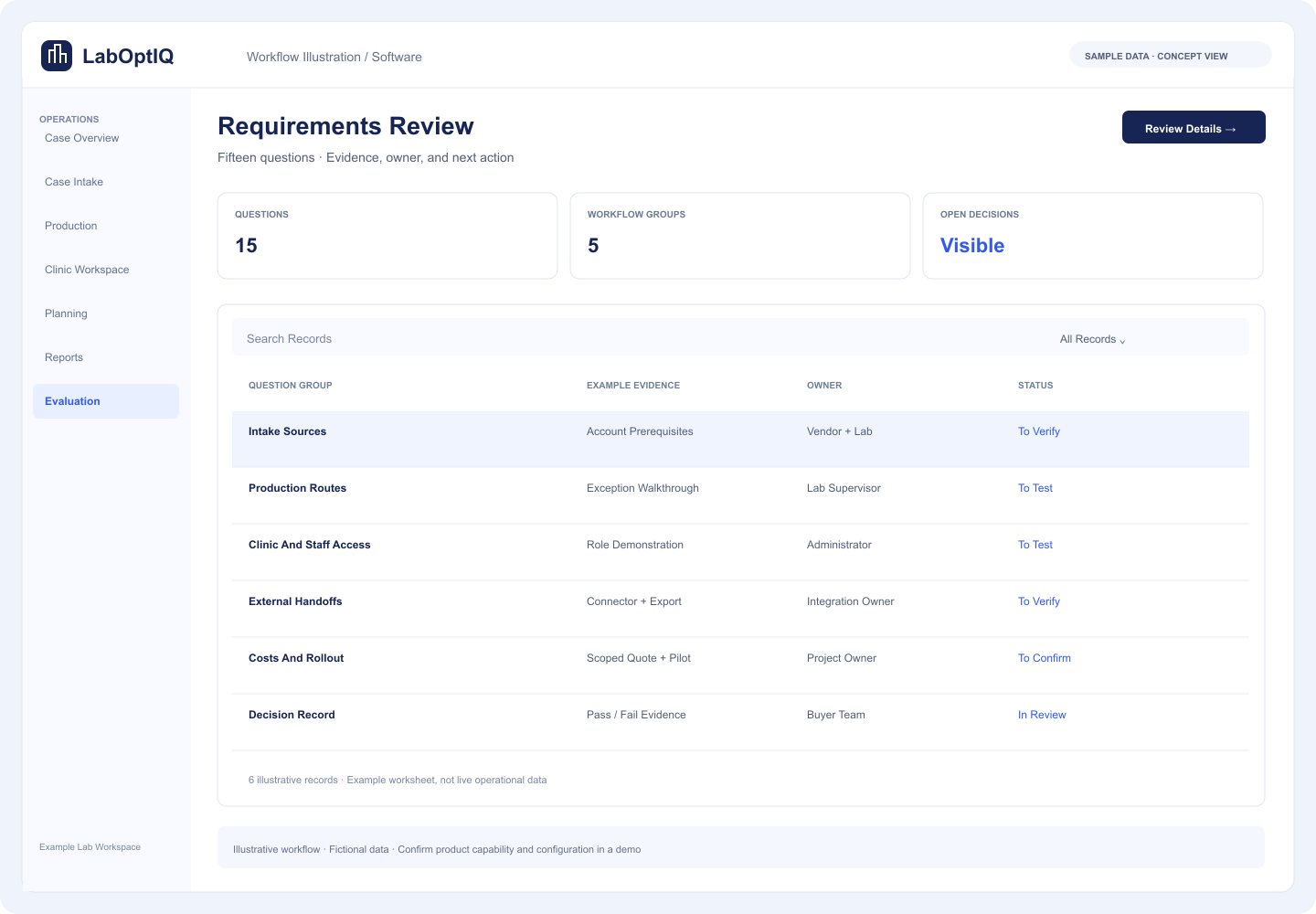
Use columns for requirement, evidence, result, owner, and next action. Identify critical pass/fail conditions before assigning weighted scores. Revisit any item that depends on custom work or another vendor's approval.
Bring the same questions to a LabOptIQ demo if connected intake and case visibility are on your shortlist. The useful result is a clear account of what fits, what needs configuration, and what remains outside scope. That is more actionable than a presentation in which every feature receives an unqualified yes.
View A Workflow Example
Explore this workflow with your team.
Bring your cases, scanner sources, and existing tools to a LabOptIQ demo. Confirm the handoffs, available features, and integration scope that matter to your lab.
Book A Workflow Demo