Start with the case identity and current instruction
Before a review begins, confirm that the case reference, requested work, current prescription, and relevant file version are connected. If there has been a change, make the latest approved instruction identifiable without deleting earlier context. A technically careful check against the wrong version is still an unreliable handoff.
Define who may review, approve, and release each stage. Some tasks may require a particular qualification or authorized role. Access to a checklist should not imply authority to make every decision it contains. Keep unresolved questions visible before the work moves on.
Build the CAD review around approved criteria
Your qualified team should define the technical review appropriate to the restoration and design process. The record should identify the design version, reviewer, outcome, and any required correction. Refer to your procedures rather than inserting generic numerical tolerances into an all-purpose software form.
If clinic approval is part of the route, record what was sent and which version was approved. A message approving an earlier design should not silently authorize a later revision. The case should show whether another review is required after a material change.
Record the manufacturing handoff
Confirm the approved design and the information needed for the chosen manufacturing route. Record relevant material or batch identifiers where required by your procedures. Follow the equipment and material manufacturers' instructions for processing and associated records.
Outsourced work needs an identifiable handoff too. Keep the partner reference, items sent, expected return, and required review on receipt. A package returning to the lab should not bypass the checks that your quality process requires simply because another organization performed the previous step.
Make failed checks actionable
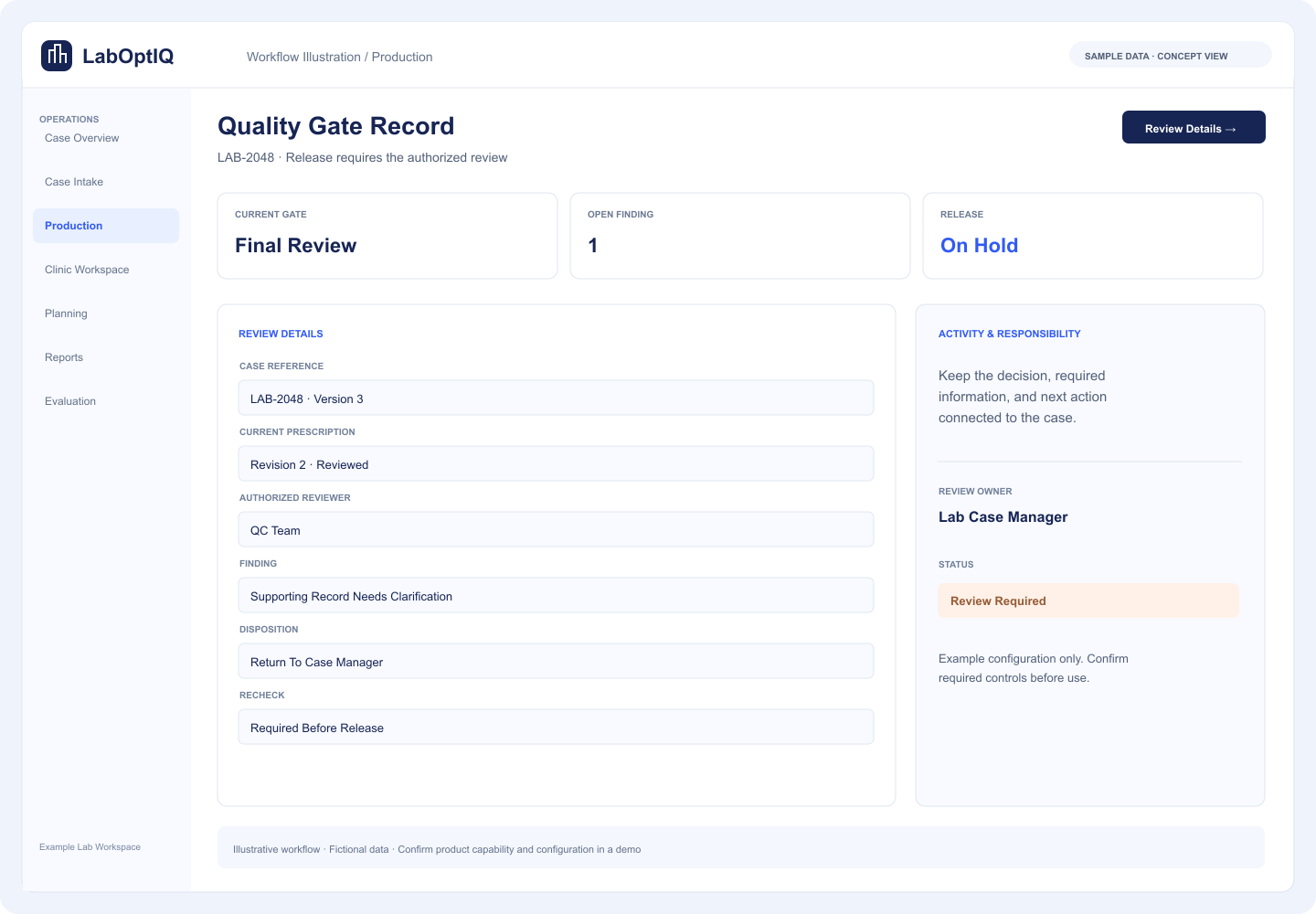
A checklist needs more than Pass and Fail. Record the finding, responsible person, disposition, and recheck requirement. Where useful, link supporting images or notes to the specific case and stage. Avoid using a generic Complete status to cover both a successful check and an unresolved issue.
Preserve the original finding after correction. The history should explain what happened and why the work was released. This supports internal learning and later investigation without requiring staff to reconstruct decisions from personal messages.
Check dispatch readiness separately
Final technical release and dispatch preparation are related but distinct activities. Your dispatch checklist may confirm the correct case, items, approved documents, packaging instructions, clinic address, and shipment reference. The lab should define the exact requirements for its work and applicable obligations.
Do not let an administrative completion event override an unresolved technical hold. If a label is created before release, the record should still distinguish label creation from permission to dispatch and from the actual carrier handover.
Use this operational checklist in a pilot
- Identify the case and current instruction.
- Assign an authorized reviewer for the required gate.
- Record the version and evidence reviewed.
- Record the outcome and any correction owner.
- Keep holds visible until the required recheck is complete.
- Record release and dispatch as separate events.
Review the checklist with the people who perform the work. Remove ambiguous items and make mandatory evidence practical to capture. In software demonstrations, deliberately fail a check and follow its correction through to release. That reveals more about control than clicking through a perfect example.
View A Workflow Example
Explore this workflow with your team.
Bring your cases, scanner sources, and existing tools to a LabOptIQ demo. Confirm the handoffs, available features, and integration scope that matter to your lab.
Book A Workflow DemoSources & Further Reading
Vendor documentation explains its own platform, not a confirmed LabOptIQ integration or partnership.