
Start with actual availability
Record shifts, leave, planned training, supervision, and other responsibilities that reduce production time. A nominal eight-hour day is not eight hours of interchangeable case capacity. Agree a realistic planning basis with the team rather than filling every theoretical minute.
Include skills and authorization requirements. Some tasks need specialist experience or a required review. A person who is free is not automatically the appropriate assignee. Make the planning assumptions visible so a substitute scheduler can understand why work was allocated in a particular way.
Estimate the remaining stage effort
Use practical estimates by task type and complexity, then compare them with experience. Avoid treating the total elapsed age of a case as the amount of active work needed. Waiting for a clinic answer or a machine batch is a different planning problem.
Start with coarse ranges if precise time data is unavailable. Estimates should support discussion and scheduling, not create a misleading impression of exact productivity. Explain when complexity or an unexpected correction changes the remaining effort.
Schedule around dependencies
A finishing task may depend on manufacturing completion; manufacturing may depend on an approved design and available equipment. Include these relationships so a calendar slot does not imply the work will be ready to start. Keep blocked assignments visible.
Make outsourced stages and return dates part of the schedule. A task assigned on the expected return day should not look certain if the partner has not confirmed dispatch. The scheduler needs the next relevant dependency, not just an optimistic due date copied from the overall case.
Provide a controlled reassignment process
When a technician becomes unavailable, identify the work they own, its current state, and any relevant notes or files. Reassign it deliberately and notify the receiving person through the agreed workflow. Preserve the previous ownership in the history.
Protect work already in progress from automatic reshuffling unless the team explicitly wants that behavior. A scheduling rule should distinguish a queued task from active work. Test how manual overrides interact with any automatic assignment rules.
Review load before accepting urgency
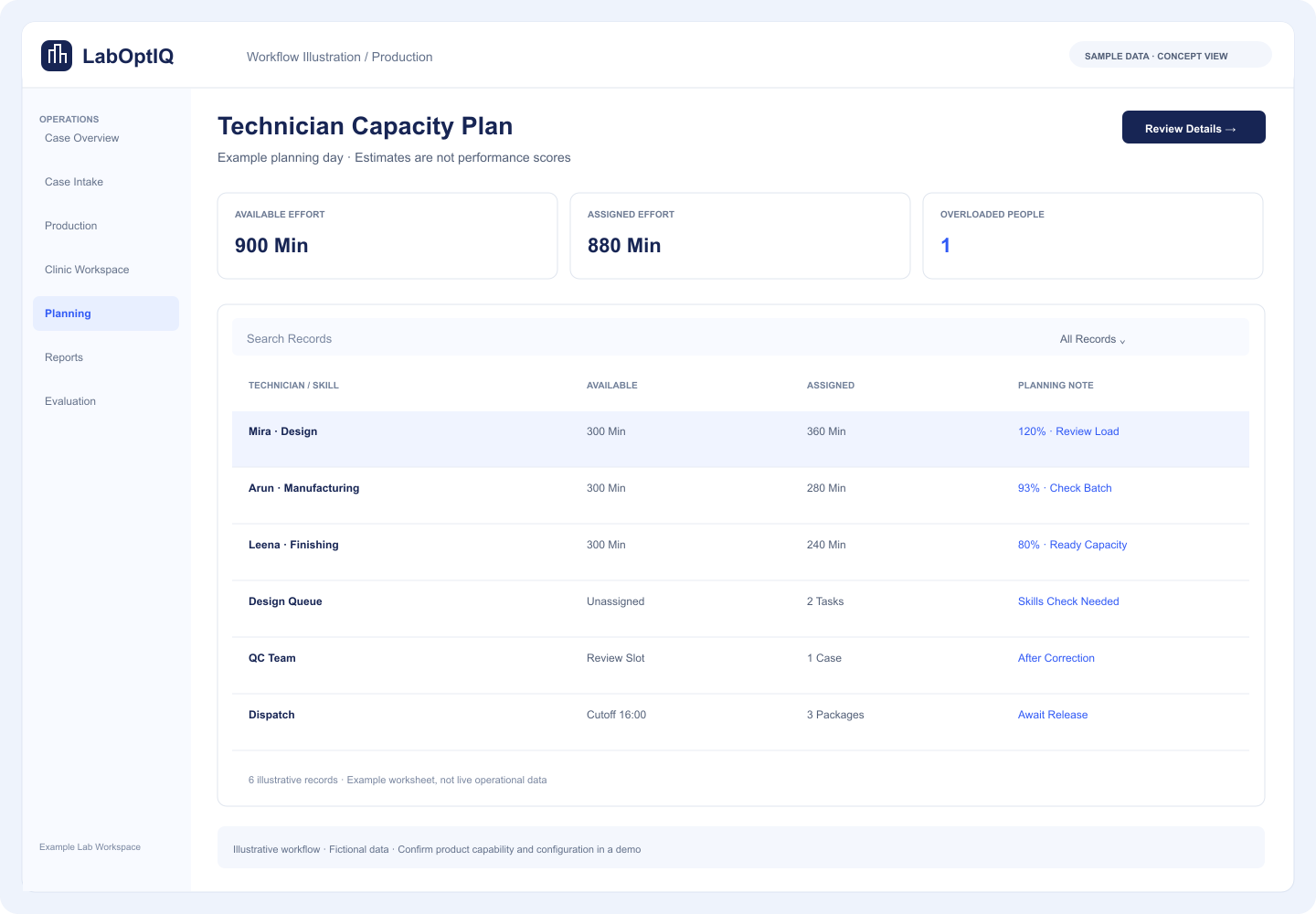
Compare assigned effort with available effort by stage or skill group. A fictional example might show 360 minutes assigned against 300 minutes available: 120% planned load. That signals a conversation about capacity or commitments, not proof that someone should work faster.
An urgent case can displace existing promises. Agree who can authorize the change and which clinic communications follow. Do not quietly move several cases out of view to make space for the newest request.
Use a daily planning review
Focus on near-term readiness, blocked work, leave, and capacity mismatches. Ask technicians whether the estimates and stage statuses reflect reality. Record specific actions instead of simply reading out the assignments already shown on screen.
Evaluate scheduling software with a realistic absence, an overloaded specialist, and a case that is not ready when planned. The useful outcome is a transparent and adjustable plan. The illustration shows an example planning view; confirm available scheduling features before selecting any product.
View A Workflow Example
Explore this workflow with your team.
Bring your cases, scanner sources, and existing tools to a LabOptIQ demo. Confirm the handoffs, available features, and integration scope that matter to your lab.
Book A Workflow Demo