Design the request around the case type
Different work may need different information. Agree the required clinical and technical fields with qualified staff and participating practices. Distinguish a required value, an optional note, and a conditional field that applies only to a particular route.
Avoid a long generic form that encourages users to enter placeholder text. Explain missing fields clearly, preserve a draft where appropriate, and show the practice what it has submitted. A validation rule should help complete the request rather than invite workarounds that make the record look complete when it is not.
Keep the prescription connected to the files
Associate the request with a stable lab reference and the relevant scan package, images, and other supporting information. If the order also arrives through a scanner portal, retain the source reference so staff can match the records without relying only on a patient name.
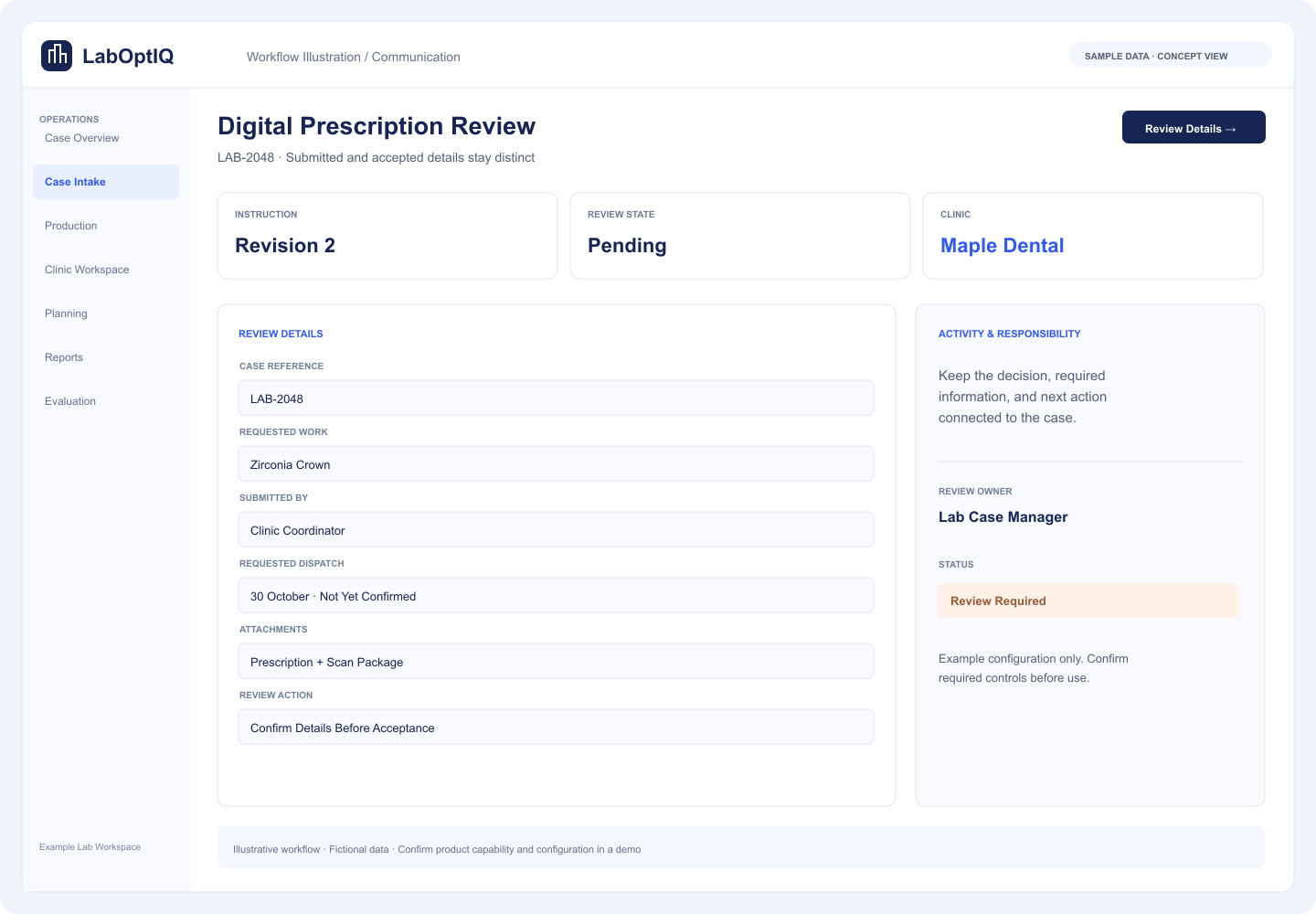
Record when files and instructions were received. An upload that fails halfway through should be visible as incomplete rather than leaving the clinic with a successful-looking confirmation. The lab needs a review step to establish whether the received package is ready for acceptance.
Separate submitted details from accepted work
A requested date, product, or service is part of the clinic's request. The lab's acceptance records what it has agreed to perform and the timing it can commit to. Keep these meanings distinct so the act of sending a form does not create an assumed promise.
Give the reviewer a way to request clarification with a named owner and visible response status. Keep the agreed answer in the case context. Important changes agreed verbally should be summarized in the record under your communication procedures.
Control revisions explicitly
Preserve the earlier instruction when a prescription changes. Record the new version, author, time, and reason, and make the current approved instruction easy to identify. A replacement attachment should not silently invalidate completed work without a review decision.
Agree how a change affects production, timing, and commercial terms. The software should help the team acknowledge that decision rather than infer it from a file timestamp. Review who may change an accepted prescription and who must confirm the downstream action.
Plan for analog and mixed intake
Some work will still arrive with physical materials or a paper document. Establish how the case is entered, how the original record is linked, and who verifies transcription. Scanning a paper slip can preserve context, but its contents may still require structured review before assignment and reporting.
Do not assume the digital record automatically satisfies every documentation or retention requirement. Have the relevant advisers review obligations that depend on your location, contracts, and work. Keep access, exports, and corrections aligned with those requirements.
Pilot the form with clinic staff
Ask a dentist or assistant to submit a normal request, an incomplete request, and a revised request. Observe where they hesitate or leave useful information in an unstructured note because the appropriate field is missing. Review the resulting record with the lab's intake team.
Measure clarification frequency and handling effort rather than only form completion. The best digital prescription is one both sides can understand and maintain. LabOptIQ's doctor-collaboration proposition is a starting point for evaluating this workflow; confirm the available forms and revision controls in a demo.
View A Workflow Example
Explore this workflow with your team.
Bring your cases, scanner sources, and existing tools to a LabOptIQ demo. Confirm the handoffs, available features, and integration scope that matter to your lab.
Book A Workflow Demo